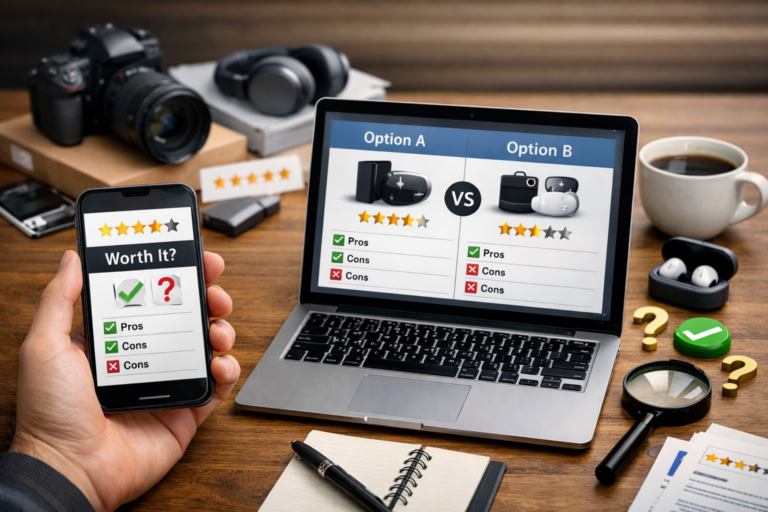

Smarter Software Reviews: How to Compare Tools Without Falling for Hype
Why Software Reviews and Comparisons Matter
Choosing software is rarely as simple as picking the platform with the longest feature list. Businesses, freelancers, and teams often face dozens of tools that appear similar on the surface but perform very differently in real-world use. This is where software reviews and comparisons become essential. They help buyers move beyond polished landing pages and evaluate how a product works in practice, what trade-offs it includes, and whether it aligns with specific goals.
Effective software reviews do more than assign stars or summarize features. They examine how a tool behaves over time, how easy it is to adopt, how responsive the vendor is, and whether the pricing model makes sense as needs grow. Comparisons add another layer by placing products side by side, revealing where one platform is stronger, weaker, or simply better suited for a certain type of user.
What Makes a Software Review Truly Useful
A useful software review is balanced, specific, and grounded in real use cases. Instead of repeating vendor claims, it should answer practical questions: How quickly can a new user get started? Is the interface intuitive? Are integrations reliable? Does customer support solve issues efficiently? Can the software scale with a growing team?
The best reviews also identify limitations openly. No software is perfect, and readers benefit more from honest insight than generic praise. For example, a project management platform may be excellent for large teams but overly complex for solo users. An accounting tool might offer powerful automation but require a steep learning curve. Context transforms a review from promotional content into decision-making guidance.
Core Elements of a Strong Review
- Ease of use: The learning curve, interface design, and onboarding experience.
- Features: The depth, quality, and practicality of the available tools.
- Performance: Speed, reliability, uptime, and general stability.
- Integrations: Compatibility with existing workflows and third-party platforms.
- Customer support: Response times, documentation quality, and support channels.
- Pricing: Transparency, value for money, and scalability of plans.
- Security and compliance: Data protection standards and industry certifications.
How Comparisons Help Buyers Make Better Decisions
A standalone review can be helpful, but comparisons often deliver more actionable insight. When two or more products serve the same general purpose, buyers need to understand differences that may not be obvious from vendor websites. A comparison clarifies whether a tool is better for startups, enterprises, creators, developers, or remote teams.
For example, two customer relationship management platforms may both offer contact management, automation, and reporting. However, one may focus on ease of use and affordability for small businesses, while the other emphasizes customization, enterprise reporting, and advanced workflow automation. A side-by-side evaluation helps readers match software capabilities to operational priorities.
Key Areas to Compare
- User experience: Which platform feels simpler and more efficient?
- Customization: How flexible is the software for unique processes?
- Automation: Which tool reduces more manual work?
- Reporting: Are dashboards and analytics useful and clear?
- Deployment: Is the software cloud-based, desktop-based, or hybrid?
- Total cost: What is the real cost after add-ons, user tiers, or premium support?
Common Mistakes People Make When Reading Software Reviews
Not all reviews are equally trustworthy. Some readers make decisions based only on star ratings, while others focus too heavily on a single negative or positive comment. Software evaluation should be broader and more thoughtful. A low rating might reflect a user mismatch rather than a poor product, while a glowing review may overlook long-term issues such as pricing increases or limited support.
Another common mistake is ignoring the review date. Software changes rapidly. A review written a year ago may no longer reflect the current interface, feature set, or pricing structure. Readers should also consider reviewer background. A freelancer, a growing startup, and a large enterprise may experience the same software in very different ways.
How to Read Reviews More Critically
- Look for detailed, experience-based feedback rather than vague praise.
- Check whether the review matches your company size and use case.
- Compare multiple sources to identify recurring strengths and weaknesses.
- Pay attention to recent updates and vendor responsiveness.
- Separate core product issues from isolated onboarding or setup challenges.
The Role of Hands-On Testing in Software Comparisons
Even the best-written review should not completely replace direct testing. Free trials, demo accounts, and sandbox environments offer a clearer picture of how software fits into an existing workflow. Hands-on testing reveals practical details that written comparisons may summarize only briefly, such as navigation speed, reporting clarity, team permissions, or setup complexity.
Testing is especially important for collaboration tools, design platforms, CRM systems, help desk software, and project management solutions. These categories affect multiple users across departments, so usability and workflow fit can matter just as much as raw functionality. A platform with fewer features may still be the better choice if it leads to stronger adoption and faster execution.
What Businesses Should Prioritize Before Choosing Software
Before relying on reviews and comparisons, buyers should define what success looks like. Software should solve a specific problem, not simply add another subscription. Teams that know their must-have requirements are less likely to be distracted by flashy extras or broad marketing claims.
It helps to create a shortlist of decision criteria before reading reviews. This keeps the evaluation focused and makes it easier to compare tools fairly.
Questions to Ask Before Deciding
- What problem are we trying to solve?
- Which features are essential, and which are optional?
- How many users need access now and later?
- What systems must this software integrate with?
- What is our realistic budget over 12 to 24 months?
- What level of security, compliance, and support do we require?
Conclusion
Reviews and comparisons are powerful tools for making smarter software decisions, but their value depends on how they are used. The most reliable software reviews provide context, detail, and honest assessment rather than surface-level approval. Strong comparisons go even further by showing how competing tools differ in usability, pricing, flexibility, and fit.
For buyers, the goal is not to find the software with the most hype, but the one that supports real work efficiently and sustainably. By combining trustworthy reviews, side-by-side comparisons, and hands-on testing, individuals and organizations can choose software with greater confidence and better long-term results.